
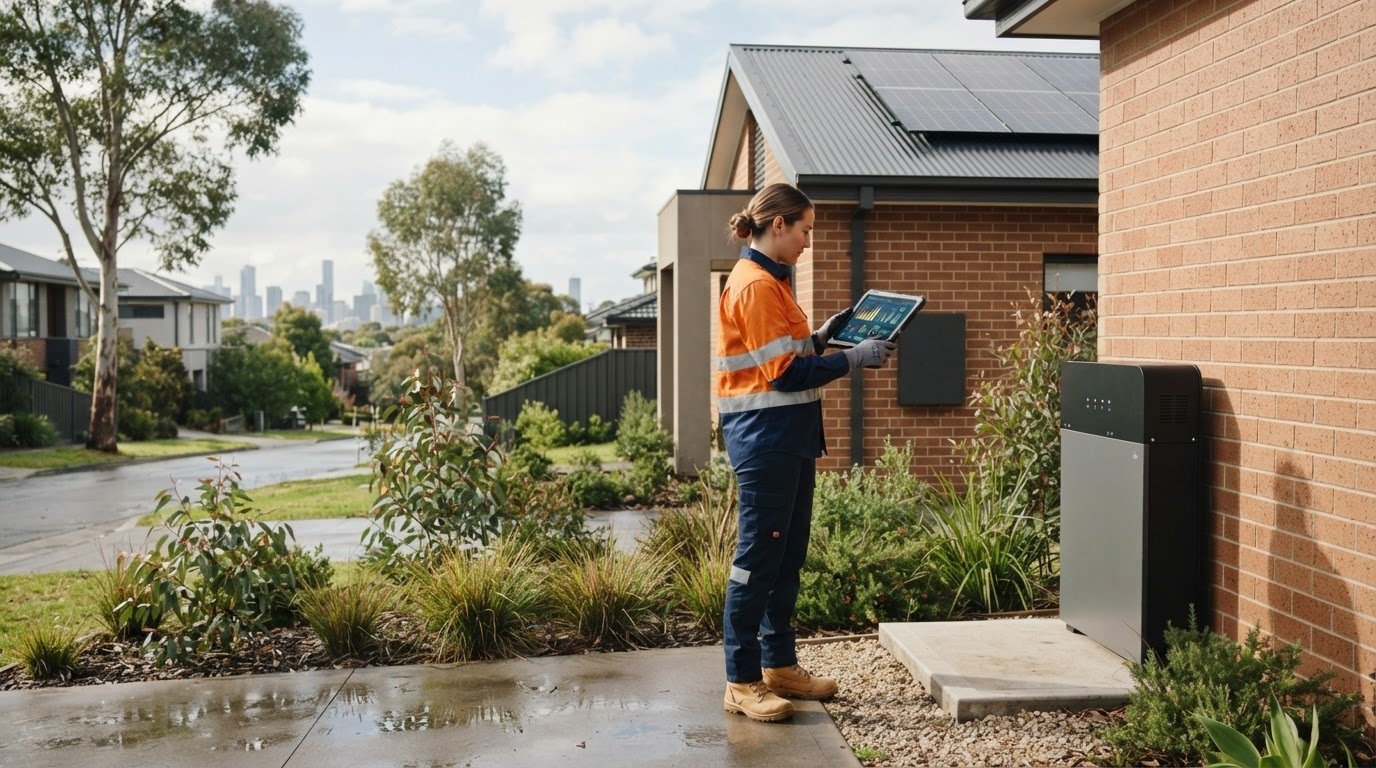
What if the safest way to care for your solar battery is knowing what not to touch? Good solar battery maintenance tips start with simple monitoring, not opening the unit or attempting electrical work. Your battery’s app, visible condition and surrounding area can help you spot changes early.
It’s understandable to be unsure what routine checks involve, especially through Melbourne’s warmer months or after severe weather. You can monitor system performance, note alerts and check from a safe distance for visible damage, while leaving internal checks and repairs to a qualified professional.
This guide explains what to monitor, which visual checks are safe and when a persistent alert, unusual performance change or sign of damage needs professional attention. You’ll also learn how to keep a clear record of system behaviour and maintenance actions, so you can share useful information if your battery needs assessment.
Key Takeaways
- Use your battery and inverter monitoring to review status, charge and discharge information, and alerts, but treat displayed readings as information rather than a diagnosis.
- These solar battery maintenance tips focus on non-invasive checks: observe the surroundings, record changes and follow the manufacturer’s instructions.
- Use a seasonal routine for Melbourne conditions, including reviewing system status and checking for visible changes after severe weather.
- Keep a simple log of alerts and performance changes so you can explain what you’ve noticed during a professional assessment.
- If an issue persists, professional assessment can help clarify the system’s condition and possible next steps, which may include a battery upgrade or replacement.
Solar battery maintenance: what owners should monitor and why
Unsure whether your solar battery needs regular attention? “Maintenance” can sound like hands-on servicing, but for most owners the starting point is simpler: monitor system information, keep the immediate area suitable for the equipment and respond to alerts using the battery manufacturer’s current instructions. Exact requirements vary by model, so don’t assume advice for one battery applies to another.
Safe observation means checking information and visible surroundings, not opening, repairing or modifying battery equipment. If a check appears to require access inside an enclosure or contact with electrical components, leave it to a qualified professional.
What does solar battery maintenance actually involve?
Your solar battery stores energy for later use, while the inverter helps manage the flow of electricity between the panels, battery and home. A battery management system monitors and controls aspects of the battery’s operation. Together, these components form a system, but the information available to owners differs between models and monitoring platforms.
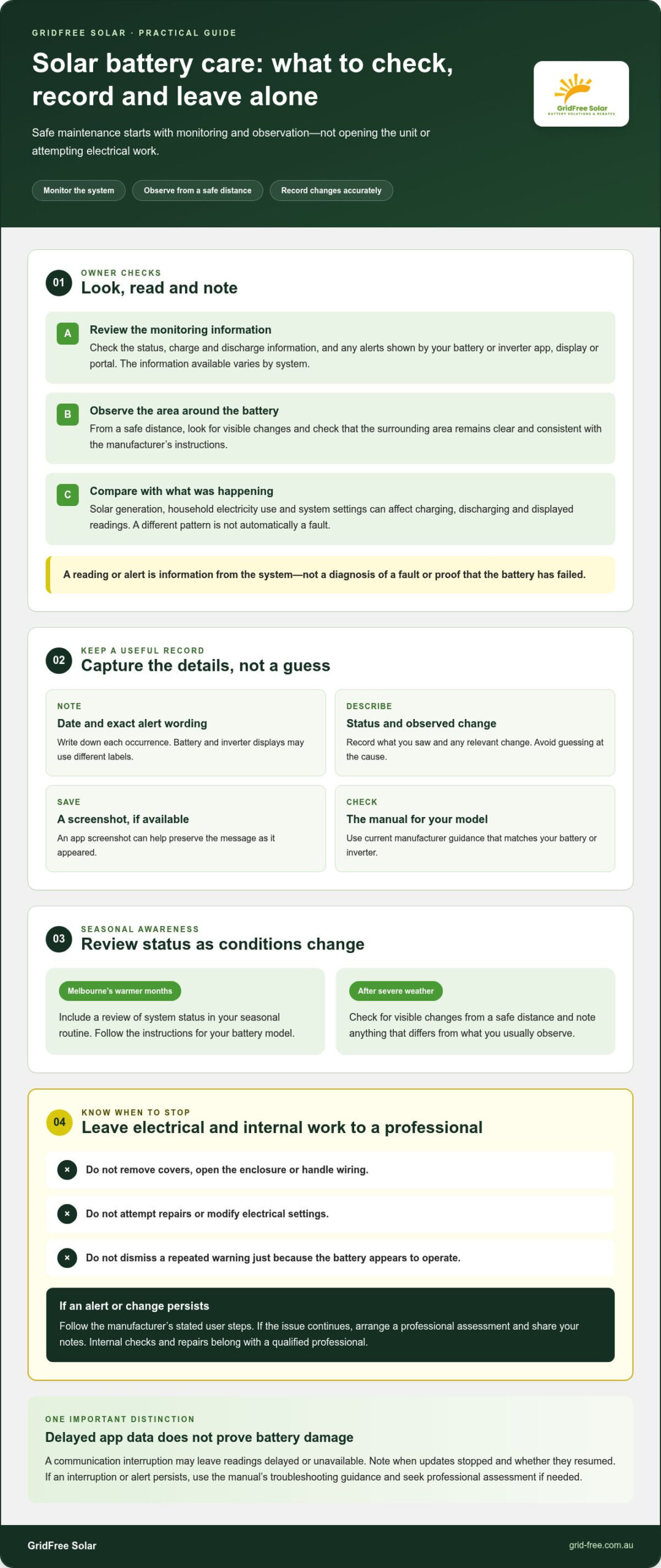
Owner checks are about observation. You might review the system’s displayed status, note an alert or look from a safe distance to see whether the area around the unit remains clear and consistent with the manufacturer’s instructions. Physical servicing is different. It can involve electrical equipment and internal components, so don’t remove covers, handle wiring, attempt repairs or change settings unless the manufacturer specifically directs a safe user action.
For a general explanation of how battery storage systems store and release energy, see Wikipedia’s overview. For decisions about your own equipment, use its current manual and manufacturer guidance. Record the model details and check that any instructions match your system before acting.
Why monitor a battery that appears to be working?
A system can appear normal while its monitoring platform records useful changes in status or operation. A regular review helps you notice when something differs from the pattern you usually see, rather than relying on memory after an alert appears. It also gives you clearer information to share if you need a professional assessment.
Keep a simple record: note the date, displayed status or alert, and any relevant change you’ve observed. Avoid guessing at a cause. A reading or message is information from the system, not a diagnosis of a fault or proof that the battery has failed. Battery and inverter displays can use different labels, so write down the exact wording or take a screenshot if the app allows it.
When an alert appears, consult the manufacturer’s current guidance for that model and follow its stated user steps. Don’t dismiss a repeated warning simply because the battery still seems to operate, and don’t try to clear it by changing electrical settings. These solar battery maintenance tips are about spotting and recording changes early, then using the right information to decide whether professional attention is needed.
How solar battery monitoring works: alerts, data and system changes
Your battery’s monitoring tools turn system activity into information you can review, often through an app, inverter display or online portal. What appears on screen depends on the equipment and its settings. One system may show a battery’s state of charge and whether it’s charging or discharging; another may present status messages or alerts instead.
A single app reading can’t, on its own, establish that a battery has a fault. Treat displayed readings as clues about what the system is reporting, not as a professional diagnosis. The value is in recognising a change, checking what the message means and keeping an accurate record.
Which battery readings and alerts should owners understand?
Start with the labels your own system provides. State of charge describes the battery’s reported charge level. Operating status may indicate whether it’s charging, discharging, idle or unavailable, while an alert may flag an event that needs attention. Not every model shows all these details, and the same term may be presented differently across apps.
When a message appears, note its exact wording and date, then look it up in the manual for your battery or inverter. If it returns, record each occurrence rather than relying on memory. Don’t clear or reset an unfamiliar alert just to make it disappear. Follow the manufacturer’s stated steps, and avoid changing settings unless the instructions identify that action as suitable for the owner.
What can change battery performance or monitoring data?
Battery activity responds to the wider household energy picture. Solar generation, electricity use at home and system settings can all affect when the battery charges or discharges and what the app reports. A different pattern isn’t automatically a fault; compare readings with what was happening at the time, such as a change in household demand or system operation.
There can also be a gap between the equipment and the app. A communication interruption may leave readings delayed or unavailable, which doesn’t prove the battery itself is damaged. Note when the data stopped updating and whether it resumed, but don’t repeatedly alter system settings to force a refresh. If the interruption or alert persists, follow the manual’s troubleshooting guidance and arrange professional assessment if needed.
For wider context on how storage fits into a household energy system, explore this guide to solar battery storage benefits. It can help explain why displayed battery activity changes with generation and household use, without turning an app reading into a fault diagnosis.
What should you record before seeking assistance?
Good solar battery maintenance tips include making your observations useful to someone assessing the system. Keep a short log with the date and time, exact alert wording, displayed status and any relevant changes you noticed. Add whether the app data was current or appeared delayed. If you can safely capture a screenshot, keep it with your notes.
That record gives a clearer picture than “the battery seems different” and helps keep the discussion focused on what the system actually showed. If an issue continues, GridFree Solar’s solar battery upgrade and replacement options may be relevant after the system’s condition has been assessed.
Safe solar battery checks versus work for a qualified professional
It’s sensible to check that your system appears normal. The boundary is simple: homeowners can observe and record; electrical inspection and repair should be left to an appropriately qualified professional. Don’t open the battery enclosure, handle wiring, clean electrical components or reset equipment without clear instructions from the manufacturer.
Which solar battery checks can a homeowner make?
Keep checks non-invasive and follow the instructions for your battery model. Look from a safe distance, review the monitoring app and note anything that has changed. If you see unexpected damage or another safety concern, don’t touch the unit or investigate further. Record what you noticed and seek professional guidance.
The immediate area matters too. Keep it clear in the way the manufacturer specifies, without moving equipment or disturbing cables. A clear view can help you notice changes to the unit or its surroundings. Don’t try to clean electrical parts or remove anything attached to the battery.
| Homeowner observation | Professional work |
|---|---|
| Review app or inverter information and note alerts. | Inspect electrical connections, wiring and internal components. |
| Observe the battery and nearby area from a safe distance. | Diagnose repeated faults or unexplained system behaviour. |
| Keep the surrounding area clear as directed in the manual. | Open enclosures, repair equipment or alter electrical settings. |
This distinction makes solar battery maintenance tips practical without asking you to take risks. Follow the manual for any owner-level action. If an instruction is unclear, don’t guess or experiment with settings.
When should a professional inspect a battery system?
Arrange an assessment if alerts recur, system operation changes without an obvious explanation, or you notice damage. Swelling or leakage are warning signs: don’t touch the battery or attempt a closer inspection. Note what you can see from a safe distance and seek professional attention.
Electrical inspection and repairs aren’t homeowner tasks. A professional can assess the system and explain suitable next steps based on its condition. That may help clarify whether the concern relates to the battery or another part of the system, without assuming the outcome before an assessment.
If an assessment raises questions about whether a battery needs replacing, the solar battery replacement guide can help you understand that next step. GridFree Solar offers solar battery upgrades and replacements. An assessment can help inform the options for your system. For a battery upgrade or replacement, explore GridFree Solar’s battery options.
A seasonal solar battery maintenance checklist for Melbourne homes
A seasonal review gives you a regular moment to check what your system is reporting and notice changes around the battery. In Melbourne, conditions shift between warmer and cooler periods, but weather alone doesn’t tell you whether a battery has a fault. Use each change of season as a prompt to review the manufacturer’s guidance, not as a reason to adjust the equipment.
What should you check during routine seasonal reviews?
Choose a consistent time to review your system, such as at the start of each season. Keep the check non-invasive and follow the instructions for your battery model. This simple routine helps you compare observations over time without relying on memory or attempting electrical work.
- Review system status. Check the available battery or inverter information and note any alerts or changes in operating status.
- Observe the surroundings. From a safe distance, look for visible changes around the unit. Keep the area clear and maintain any specified clearance in line with the manufacturer’s instructions.
- Record what you notice. Write down the date, exact alert wording and any relevant change in the system or surrounding area.
- Consult the manual. Use current manufacturer instructions for the specific battery and inverter, especially if an alert appears or you’re unsure what you’re seeing.
- Escalate concerns. If you notice damage, repeated alerts or a safety concern, stop the check and seek professional attention rather than investigating further.
Observe, record, consult the instructions and escalate concerns. That’s the safe routine. Don’t shade, cover or relocate the battery, or change its ventilation, unless the manufacturer’s instructions specifically allow the action. Altering the setup to protect it from the weather could conflict with its installation requirements.
How should Melbourne weather shape your battery checks?
Seasonal heat and cooler conditions are useful context for checking the manufacturer’s operating guidance. Look for any instructions about the environment around your particular system, then observe whether the area still appears consistent with those directions. Don’t assume a warm day or a cooler spell has caused a fault, and don’t use a temperature threshold unless it appears in the manual for your model.
If you have an environmental concern, such as a change around the battery’s location after severe weather, record what you can see from a safe distance. Don’t move the equipment, add a cover, block or redirect airflow, or change settings to compensate. If the concern persists or the system displays an alert, follow the manual and arrange an assessment rather than experimenting.
These solar battery maintenance tips keep seasonal checks focused on observation, not DIY servicing. If your review identifies a persistent system concern, GridFree Solar can help you explore solar and battery options in Melbourne, including battery upgrades and replacements where suitable.
When solar battery maintenance points to a professional assessment
Routine monitoring helps you spot a pattern; a professional assessment helps make sense of it. If an alert keeps returning, the system operates differently without an obvious explanation, or you notice visible damage, organise what you’ve observed before arranging an assessment. Clear notes help keep the discussion grounded in what the system has actually reported, rather than guesswork.
What information should you prepare for a battery assessment?
Gather details from accessible records, the system app or installation documents. Don’t open equipment or remove covers to find model information. A concise summary is more useful than a long list of assumptions. Include:
- The battery and inverter make and model, if available in your records or documentation.
- Dates and exact wording of alerts, including whether they appeared once or repeatedly.
- Relevant monitoring observations, such as a change in displayed status or data that stopped updating.
- Any recent changes in household electricity use or system operation that may help provide context.
Describe what happened and when, but avoid assigning a cause. For instance, note that an alert appeared after a change in household use, rather than concluding that the change caused the alert. If you have screenshots or saved records, keep them with your notes. This gives the professional a clearer starting point and helps distinguish an isolated reading from a recurring concern.
When might an upgrade or replacement be considered?
An upgrade or replacement is a separate decision from routine maintenance. It may be considered if a professional assessment identifies a system condition or household need that makes a change worth discussing. Suitability depends on the battery and wider system, how your household uses energy, and the assessment findings. An alert alone doesn’t mean replacement is necessary.
Ask for the assessment findings and the reasoning behind any suggested next step. That gives you a basis to consider whether the recommendation addresses the observed issue and fits your household’s needs. GridFree Solar provides solar battery upgrades and replacements, with options guided by your system and energy needs.
For background while weighing up the financial decision, review this solar battery cost and ROI guide. It can help you think through the broader costs and value questions, while an assessment focuses on your system’s condition and potential next steps.
The most useful solar battery maintenance tips lead to informed action, not guesswork. If your observations point to a persistent concern, a professional assessment can help clarify what’s happening and what options may suit. For your next step, explore GridFree Solar’s solar and battery solutions.
Take the next step with confidence
Make your battery observations useful beyond today. A clear record can help you decide whether your current setup still fits the way your household uses energy, or whether it’s time to explore a change. The best solar battery maintenance tips are the ones that help you act on reliable information, without taking risks with electrical equipment.
If your needs have shifted, consider the bigger picture before making a decision. GridFree Solar provides residential and commercial solar and battery installation across Australia, with a local presence in Melbourne, as well as battery upgrades and replacements. A professional assessment can help clarify which options suit your system and energy needs. For businesses also exploring larger commercial installations and integrated power resilience, Texas Engineered Solar LLC offers a practical look at engineered commercial solar solutions.
Ready to look at what could work for your property? Explore GridFree Solar’s solar and battery solutions for your Melbourne home or business. Take it one step at a time, and move forward with a clearer view of your options.
Frequently Asked Questions
How often should you check a solar battery?
Follow the check schedule in your battery’s current manufacturer instructions, as there’s no single interval for every model. You could set a reminder to review the app or system display regularly, then check it again if an alert appears or the system behaves differently. The aim is to notice changes without turning monitoring into daily guesswork. Keep the timing and notes consistent so you can compare observations over time.
Can I clean my solar battery myself?
Don’t clean inside the battery or use water, sprays or cleaning products on the unit unless its manufacturer explicitly gives safe instructions for that task. Keep the surrounding area clear as directed, but don’t remove covers or touch electrical parts. If dust, debris or a mark appears on the enclosure and you’re unsure what’s safe, consult the manual before acting. Never use cleaning as a reason to move or disconnect equipment.
Is it normal for solar battery monitoring data to disappear temporarily?
A temporary gap can happen if the app can’t communicate with the system, and it doesn’t by itself prove the battery is damaged. Check whether your home internet is working and whether the app is showing an update or connection message. Note when the data stopped and returned. If information remains unavailable or the battery also displays an alert, use the manufacturer’s troubleshooting instructions rather than changing electrical settings.
Can hot weather affect how my solar battery operates?
Hot conditions can matter because each battery has manufacturer-defined operating guidance, and the system may manage its operation accordingly. Check the manual for advice that applies to your model and pay attention to relevant app messages during hot spells. Don’t cover, shade or cool the unit with improvised methods. If you’re concerned about the battery’s location or a persistent warning, record what you observe and seek professional guidance.
What should I do if my solar battery displays an error code?
Write down the exact code and the time it appeared, then look it up in the manual for your specific battery or inverter. A code’s meaning and recommended response can vary by model. Don’t clear the message, restart the equipment or change settings unless the manufacturer’s instructions tell you to. If the code returns, or the guidance calls for assistance, share your notes with a qualified professional.
Do solar batteries need professional servicing?
Follow the manufacturer’s guidance on whether your model has scheduled servicing requirements. Homeowner monitoring doesn’t replace a professional inspection or electrical work, and you shouldn’t open the enclosure to check internal parts. Arrange a professional assessment if alerts persist, operation changes unexpectedly or you see damage. These solar battery maintenance tips apply whether your system is in Melbourne or elsewhere in Australia, but the correct service guidance is model-specific. For home and business owners across the Gold Coast and Northern Rivers seeking qualified trade support, discover Aether Electrical to see how licensed professionals can assist with your electrical systems.
Can I switch off my solar battery if I am away from home?
Don’t switch it off just because you’re leaving unless the manufacturer’s instructions say to. Shutdown procedures differ between systems, and switching equipment off may affect how it operates while you’re away. If you’re planning an extended absence or need to isolate the system, check the manual for the correct procedure and any monitoring implications. Never use switches or isolators you can’t confidently identify from the system documentation.