Table of Contents
- Why Solar Data Reporting Gaps Matter to Your System
- Solar Monitoring Data Not Updating: Connection and Communication Faults
- Solar Inverter Not Reporting Data: Equipment and Firmware Issues
- Solar Data Logger Troubleshooting: Metering and Sensor Problems
- Environmental and Weather-Related Data Loss
- Reading Your Solar Performance Report: Identifying Real Gaps
- How to Diagnose and Recover Missing Data
- Frequently Asked Questions
Last Updated: October 15, 2026
Why Solar Data Reporting Gaps Matter to Your System
Understanding solar data reporting gaps, when your monitoring system fails to record or transmit generation data from your panels, inverter, or battery storage, is essential to tracking performance, claiming feed-in tariff payments, and spotting problems before they cost you money.
Missing data creates blind spots: you can’t see whether your system is underperforming, verify you’re earning the 15¢/kWh export rate during peak export windows, or know something broke until your next bill.
Most reporting gaps are preventable or fixable once you understand the causes.
Solar Monitoring Data Not Updating: Connection and Communication Faults
When your monitoring app stops refreshing, the problem usually sits at the connection layer: your inverter, data logger, or battery is collecting data but can’t send it to the cloud platform.
Wi-Fi and Internet Outages
Your monitoring system needs a live internet connection to upload data; a dropped Wi-Fi signal interrupts that flow. Most loggers buffer data and retry once the connection returns, but hours of downtime or a router that keeps dropping signal will create gaps.
Check your home Wi-Fi first:
- Walk to your inverter or data logger and check the signal strength on your router
- If the device is far from your router, consider moving the router closer or adding a Wi-Fi extender
- Restart your router and modem, a simple reboot often fixes intermittent connection issues
Device Communication Errors
Sometimes the device struggles to communicate even when your internet is fine, outdated firmware or network settings drifting out of sync with your router cause repeated connect/disconnect cycles and partial or missing data.
Signs of communication errors include:
- The monitoring app shows “last update 2 hours ago” or older
- Your inverter display shows a connection icon that flickers on and off
- Error codes like “communication timeout” in your monitoring app
Restart the device at the isolator for 30 seconds, then switch it back on. If that doesn’t help, check for a firmware update through your monitoring app or the manufacturer’s portal, updates often fix connection stability.
Solar Inverter Not Reporting Data: Equipment and Firmware Issues
Your inverter converts DC power from your panels into AC power your home uses. If it stops reporting data, you’ve lost visibility into your entire generation.
Inverter Faults and Shutdowns
Inverters shut down automatically when they detect a fault, a faulty capacitor, overheating, or a grid-connection problem. Offline, they can’t report data.
Common reasons inverters shut down include:
- Overheating due to poor ventilation or high ambient temperatures
- Grid voltage fluctuations that exceed safe limits
- Internal component failure (capacitors, cooling fans)
If your inverter shows a red light or error code, check the manual and note the code and time, most modern inverters log error history in the app.
Firmware Updates and System Resets
Manufacturers release firmware updates to fix bugs and add features; during an update the inverter restarts and goes offline temporarily.
Check your inverter’s web interface to see whether an update is in progress. If it appears stalled, restart the inverter; if problems persist, contact the manufacturer’s support team or your installer.
Solar Data Logger Troubleshooting: Metering and Sensor Problems
Some inverters include built-in logging, but many systems, especially those with battery storage, use a dedicated data logger to collect readings from multiple devices and send them to the cloud.
Metering Accuracy and Calibration Drift
Your metering hardware measures power flowing in and out of your system, and over time meters can drift out of calibration, reporting figures that don’t match a sunny day’s expected generation.
Calibration drift is slow and gradual, noticeable over weeks or months; sudden zero generation on a clear day points to a sensor fault or communication error instead.
Sensor Faults and Hardware Degradation
Temperature, irradiance, and current sensors can fail: a faulty temperature sensor may cause unnecessary inverter derating, while a failed irradiance sensor skews performance data. Sensors exposed to UV, moisture, and temperature swings gradually lose accuracy.
If you suspect a sensor fault, check your monitoring data for obvious anomalies:
- Does your system report generation on completely cloudy days?
- Does temperature data look wildly unrealistic (e.g., 80°C on a mild day)?
- Do inverter derate messages appear when ambient temperature is moderate?
These patterns point to sensor problems. A technician can test sensors with a multimeter or replace them if needed.
Environmental and Weather-Related Data Loss
Weather affects both generation and data reporting. Lightning can damage communication cables or induce voltage spikes that knock out loggers and modems; heavy rain can cause Wi-Fi interference or moisture ingress.
Most of these effects are temporary, and communication resumes once conditions normalise. But harsh environments, coastal salt spray, very hot climates, frequent lightning, see more frequent gaps.
Reading Your Solar Performance Report: Identifying Real Gaps
Not every data gap is obvious, sometimes the data is there but incomplete, delayed, or wrong. Classifying the gap first prevents wasted technician visits and missed revenue claims.
A Practical Data-Gap Taxonomy
Use this six-category classification when reviewing your monitoring platform or performance report, each type has a different cause and fix.
- Missing, No reading recorded for a scheduled interval. The logger or platform expected a value and received nothing. This is the classic gap and usually points to a communication or power interruption.
- Delayed, The reading exists but arrived late. Your app might show “last update 30 minutes ago” instead of “now.” Delays up to 15 minutes are normal; delays of hours suggest a communication problem or a backlogged buffer.
- Duplicated, The same interval appears twice, often with slightly different values, typically after a logger reconnects and re-sends buffered data. Duplicates inflate generation totals if not de-duplicated.
When you spot a gap, write down which of these six categories it falls into. That single label narrows the cause from dozens of possibilities to two or three.
Data Completeness KPIs You Can Track Yourself
You don’t need specialist software to measure data quality. Most platforms expose enough to calculate four indicators; track them monthly to spot degradation before it becomes a revenue problem.
- Interval completeness, The percentage of expected intervals that contain a valid reading. For a system logging every 5 minutes, that’s 288 intervals per day; 270 received means 93.75% completeness. A common alert threshold is below 95% for any rolling 7-day period.
- Latency, The time between an interval ending and the reading appearing in your platform. Normal cloud latency is under 15 minutes. Sustained latency above 60 minutes usually indicates a buffer or connectivity issue.
- Logger uptime, The percentage of time the logger or inverter reported at least one reading. Uptime below 98% over a month is worth investigating.
Spotting Patterns in Your Gaps
Once you’ve classified and measured, look for patterns:
- Do gaps always occur at the same time of day? That might point to a Wi-Fi dropout, a scheduled router reboot, or a thermal shutdown during peak afternoon heat.
- Do gaps cluster after firmware updates? That’s normal for a few hours while the device reboots and re-syncs.
- Are gaps random and unpredictable? That suggests intermittent hardware, a failing power supply, or a loose communications cable.
Document the dates, times, and categories of gaps, then cross-reference them with your event logs. Most systems record when devices came online, went offline, or errored, this trail pinpoints the root cause and gives your installer or manufacturer evidence to act quickly.
How to Diagnose and Recover Missing Data
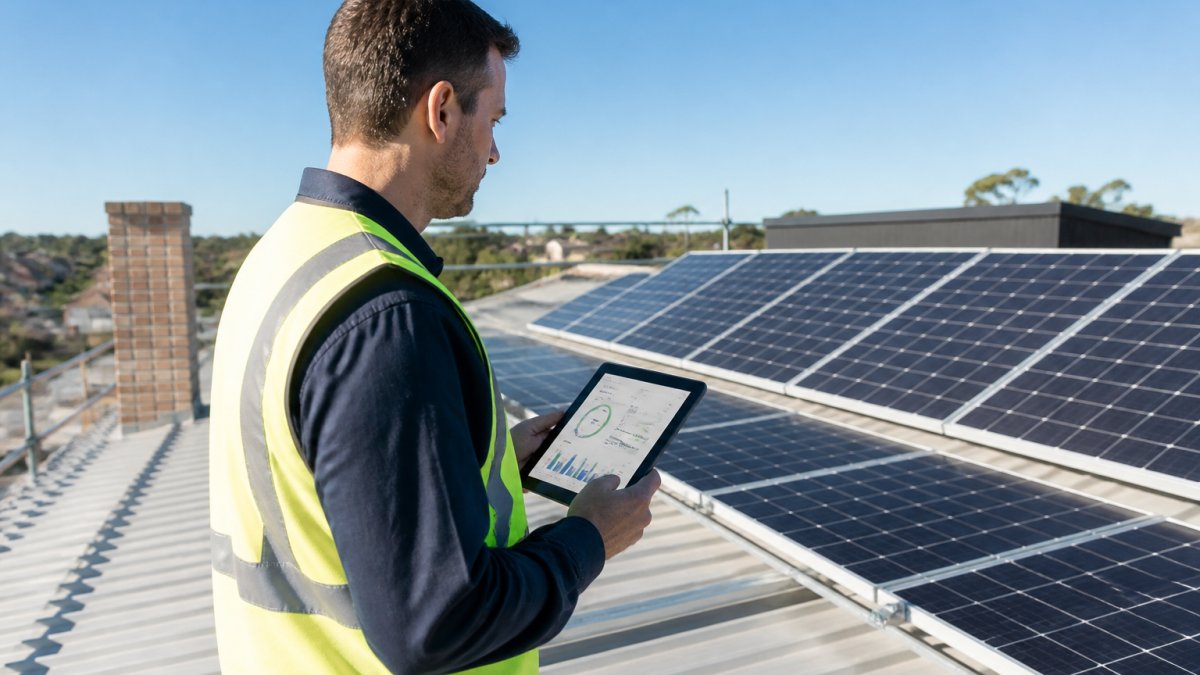
Start with the simplest checks first, most reporting gaps resolve without a technician. But once the cause is fixed, you still need to recover the missing data and record what happened, the step most guides skip.
Step 1: Trace the Gap Through the Data Chain
A reading travels through five stages before reaching your report. Trace the gap backwards to find where it broke.
- Sensor or meter, Is the physical measurement being taken? Check whether the inverter display shows live generation even when the app doesn’t.
- Logger or inverter buffer, Is the device storing the reading locally? Most loggers hold several days of data and will re-send it once connectivity returns.
- Communications network, Is the Wi-Fi, ethernet, or cellular link working? Test with another device on the same network.
- Monitoring platform, Is the cloud service receiving data but failing to display it? Check the platform’s status page or support channel.
- Report or dashboard, Is the data present in the platform but missing from your exported report? That points to a report configuration or time-zone issue, not a data loss.
If the inverter display shows live generation but your app shows nothing, the gap is downstream of the inverter. If the inverter display itself is blank or erroring, the gap is at the source.
Step 2: Basic Restart Sequence
If the trace points to a communication or device fault, work through these in order:
- Check your internet connection. Open a browser and visit a website. If your internet is down, that’s your answer. Wait for it to return and check whether data resumes uploading.
- Restart your router and modem. Switch them off at the power outlet for 30 seconds, then back on. Wait three minutes for them to fully boot.
- Check your inverter and data logger. Look for lights or error codes on the display. Green usually means normal; red or flashing patterns indicate faults. Write down any error codes.
Step 3: Recover the Missing Data
Once the cause is fixed, ask whether the missing readings can be retrieved.
- From the local device. Many inverters and loggers store several days to several weeks of interval data locally. After reconnection, they often upload the backlog automatically. If not, your installer may be able to pull it directly from the device.
- From the utility meter. Your electricity distributor’s meter records import and export independently of your solar monitoring. If you need to prove generation or export for a feed-in tariff claim, the meter data is the authoritative source. You can usually request interval data from your retailer, though it may take several business days.
- From the monitoring platform’s buffer. Some platforms retain raw data even when the dashboard shows a gap. Ask the platform’s support team whether the underlying intervals are recoverable.
Step 4: When to Estimate, and How to Label It
If raw data can’t be recovered, estimation is sometimes acceptable, but only for certain purposes.
- Acceptable for: trend analysis, annual performance comparisons, and internal reporting where a small error margin is tolerable.
- Not acceptable for: feed-in tariff claims, warranty disputes, or any figure that will be used in a financial settlement.
A defensible estimate uses a transparent method, interpolating between the last good reading before the gap and the first after it, or substituting a comparable day’s generation. Always label estimated intervals clearly (separate column, colour code, or event-log note) and never overwrite the original gap without flagging it.
Step 5: Build an Audit Trail
Every gap and correction should leave a trace. A simple audit trail includes:
- Date and time range of the gap
- Category (missing, delayed, duplicated, stale, estimated, implausible)
- Suspected cause
This record matters if you need to substantiate a feed-in tariff claim, pursue a warranty repair, or explain a performance shortfall to a buyer or insurer.
Step 6: Assign Root-Cause Ownership
Most gaps trace back to one of four owners; knowing who owns the fix prevents recurrence.
- Homeowner or site operator, Wi-Fi outages, router reboots, accidental power disconnection. Preventive control: label the inverter isolator clearly and avoid plugging the logger into a switched outlet.
- Installer, Wiring faults, incorrect meter mapping, poor signal placement, missing surge protection. Preventive control: request a post-installation data-quality check at handover.
- Equipment manufacturer, Firmware bugs, logger hardware faults, sensor degradation. Preventive control: keep firmware current and register the device for warranty notifications.
If the same gap recurs at the same time of day or after the same trigger, the root cause has not been fixed. A restart is a workaround, not a solution.
If these steps don’t resolve the gap, contact your installer or manufacturer with the date and time range, error codes, your ISP’s status, and whether the gap is ongoing. Many gaps recover within 24 hours; beyond that, professional diagnosis is needed.
For homeowners with battery storage, ongoing monitoring support can include remote access to your system, reviewing data logs, and identifying problems before they create large gaps, so you always know your system’s true performance.
Frequently Asked Questions
Why is my solar monitoring app missing data?
Solar monitoring data gaps typically stem from three sources: connection failures between your inverter and monitoring platform, inverter faults that pause reporting, or internet outages that prevent data transmission. Check your Wi-Fi connection, verify the inverter display shows active generation, and confirm your monitoring app account is linked correctly. If gaps persist after these checks, contact your installer to inspect the data logger and communication hardware.
Can a Wi-Fi or internet outage stop solar data from being recorded?
Yes. Most solar systems record generation data locally on the inverter or data logger, but cloud-based monitoring platforms rely on internet connectivity to receive and display that data. A brief outage may cause a gap in your online reports, though your system continues generating power. Once connectivity restores, historical data usually uploads within hours. Persistent gaps suggest a deeper communication fault rather than a temporary outage.
How do I troubleshoot a solar inverter not reporting data?
First, check the inverter’s physical display for error codes or fault indicators. Restart the inverter by switching off the DC isolator for 30 seconds, then restarting. Verify the data-logger connection cable is secure and undamaged. Check that your monitoring app account is still paired with the inverter. If the inverter shows no generation data after a clear sunny day, a hardware fault is likely. Contact your installer or an accredited technician to inspect the inverter and communication module.
What should I include when reporting missing solar data to my installer?
Provide the date range of missing data, screenshots from your monitoring app showing the gap, the inverter model and serial number, and whether the system was generating power during that period (check your electricity meter or inverter display). Note any recent changes: Wi-Fi router restarts, power outages, software updates, or weather events. This information helps your technician pinpoint whether the gap is a communication, metering, or equipment fault.