
Table of Contents
- Your Solar Data in Plain English: What the Numbers Actually Mean
- Step 1: Access Your Solar Monitoring App or Web Portal
- Step 2: Reading Your Solar Inverter Display Symbols Explained
- Step 3: How to Calculate Solar Self-Consumption and Spot Export Waste
- Step 4: Solar Monitoring App Troubleshooting When Data Goes Missing
- Step 5: Using Solar Production Data to Cut Your Power Bills
- Conclusion: Turn Your Solar Production Data into Real Savings
- Frequently Asked Questions
Last Updated: September 27, 2026
Your Solar Data in Plain English: What the Numbers Actually Mean
Learning how to read your solar energy production data starts with one simple idea: your monitoring app is telling you a story about your home’s energy habits, and once you know the characters, the plot is easy to follow. This guide from GridFree Solar breaks that story down for everyday homeowners, no engineering degree required. Most people open their app, see a wall of numbers, and close it again. That is a wasted opportunity.
Your system is quietly logging every kilowatt-hour it makes, every one you use, and every one you sell back. Those records show you exactly where your money is going. Below, we’ll show you how to decode each figure and turn it into lower bills.
Kilowatts vs Kilowatt-Hours: The Difference That Changes Your Bill
A kilowatt (kW) is a rate of power, like the speed of your car. A kilowatt-hour (kWh) is energy delivered over time, like the distance you actually drive.
Your panels are rated in kilowatts. Your bill charges you in kilowatt-hours. That single difference trips up more homeowners than any other part of solar monitoring.
Think of it this way:
- A 6.6 kW system can produce up to 6.6 kW at once, at peak output
- Run that output for one hour and you have made 6.6 kWh
- Your retailer charges for each kWh you use from the grid
So when your app says “4.2 kW right now,” that is speed. When it says “26 kWh today,” that is distance. Watch the kWh figures for money. Watch the kW figures for performance.
Production vs Consumption vs Grid Export: Three Numbers, Three Stories
Three figures sit at the heart of every energy dashboard, and each one answers a different question.
Solar generation is what your panels made. Energy consumption is what your home used. Grid export is the leftover power you sent to the network, usually credited through net metering or a feed-in tariff.
Read them together and the story appears:
- Generation high, consumption low: you exported a lot, and you earned a credit
- Generation low, consumption high: the grid carried your load, and you paid for it
- Generation and consumption close: your home used most of what it made, which is the cheapest outcome
That last pattern is self-consumption, and it is where the real savings hide.
Step 1: Access Your Solar Monitoring App or Web Portal
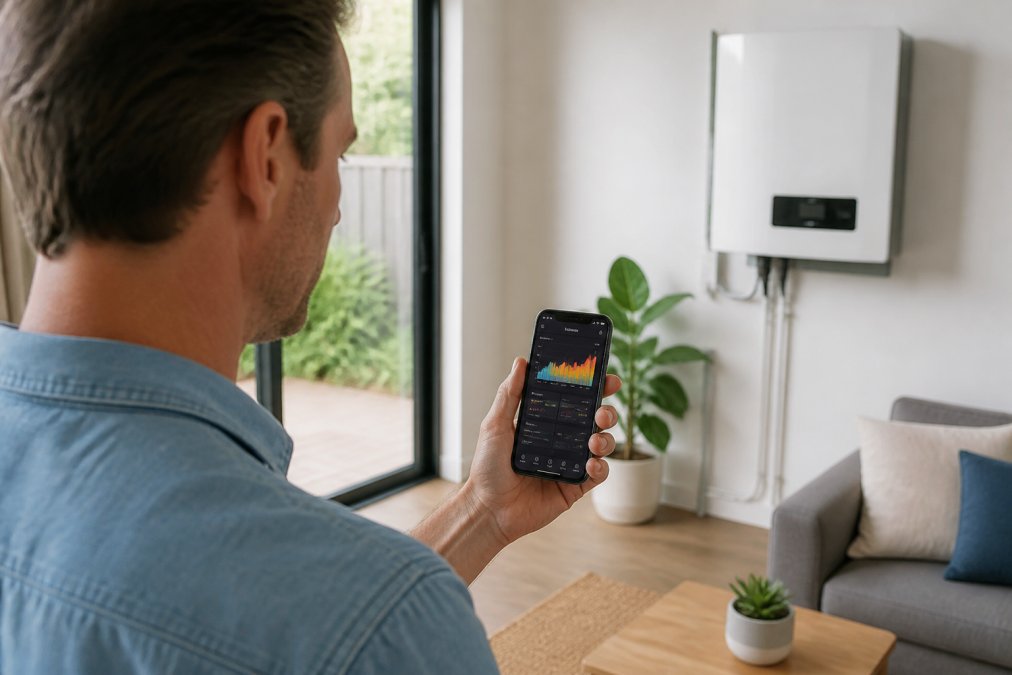
Your first data source is the monitoring platform tied to your inverter brand. Most systems give you both a mobile app and a web portal, and the two are not identical.
Open the app first for a quick daily check. Use the web portal when you want to dig into historical performance or download reports. The portal usually shows more detail and a wider date range.
If you have never logged in, check your installation paperwork for the portal name and your login details. Your installer should have set this up on handover day. If the login is missing, call them before you try anything else.
Once inside, look for these tabs:
- Live or real-time data
- Daily, weekly and monthly energy trends
- System status and alerts
- Export or feed-in figures
Bookmark the portal on your phone. You will check it more often than you expect.
Step 2: Reading Your Solar Inverter Display Symbols Explained
The inverter display is your system’s dashboard when the app is out of reach, and it is also the fastest way to tell whether a problem is real or imagined. The symbols look cryptic at first, but there are only a few you need to know, and each one maps to a physical process happening inside the unit.
Most inverters show a sun or panel icon for solar generation, a house or plug icon for consumption, and an arrow pointing to a pole for grid export. A battery icon appears if you have storage. A small Wi-Fi or signal symbol shows whether the unit is talking to the monitoring platform. The key insight is that the inverter display is showing you instantaneous values, while your app is usually showing you logged values. They can legitimately disagree for a few minutes because the inverter pushes data to the cloud on a polling interval, often every five minutes, sometimes every fifteen. If you check the inverter screen and the app at the same moment, do not expect identical numbers.
Here is what the common states mean:
- Solid green light: producing normally
- Flashing green: starting up, waking from standby, or performing a grid check
- Amber or yellow: a warning worth checking in the app
- Red: a fault, and you should contact your installer
- Blue or pulsing blue: often indicates the unit is communicating with the network
A useful habit is to read the inverter display in a set order: generation first, then consumption, then export.
A common mistake is panicking at a red light on a cloudy morning. Many inverters pause briefly during low light and restart on their own. Check the app before you call anyone. Equally, do not assume a green light means everything is fine, a green light with a data gap in the app means the inverter is producing but the monitoring link has dropped.
If your inverter has a built-in web server, you can often log into it directly over your home Wi-Fi using its local IP address, which shows live figures even when the cloud platform is down. Your installer can provide the address and login. This is the single most useful troubleshooting tool most homeowners never know they have.
Step 3: How to Calculate Solar Self-Consumption and Spot Export Waste
Here is the formula in plain terms:
Self-consumption (%) = (Solar used at home ÷ Total solar generated) × 100
To lift your number, shift heavy loads into daylight hours:
- Run the dishwasher and washing machine mid-morning
- Charge an electric vehicle during the day
- Heat water while the sun is up
- Set pool pumps to run at midday
Step 4: Solar Monitoring App Troubleshooting When Data Goes Missing
Work through this list before calling your installer:
- Reboot your router and wait five minutes
- Check the inverter’s signal strength indicator
- Confirm no one changed the Wi-Fi password
- Look for a data logger fault light
- Note the exact date the data stopped
Ignoring a data gap for weeks can hide a real fault. If your system stops reporting and you do not notice a drop in generation, you may lose weeks of production before anyone spots it.
If the checks fail, your installer can test the data logger and the connection remotely. A missing feed is rarely a serious fault, but it should never be left unresolved.
Step 5: Using Solar Production Data to Cut Your Power Bills
Data only saves money when it changes what you do, and the first thing it should change is how much you trust each number you are looking at. Most households have three sources of solar data, the inverter, the monitoring app, and the retailer’s bill, and they rarely match. Understanding why they differ is the single most useful skill in this whole guide, because it stops you chasing problems that do not exist.
The gaps to watch for are these:
- App higher than bill export: usually self-consumption, not an error
- App lower than bill export: check for a data-logging gap or a time-zone mismatch in the portal settings
- Bill shows import when the app shows export: the meter may be reading a different interval, or a large load ran during a cloud event
- Consistent 5-15% shortfall: often a CT clamp calibration issue or a meter reading interval difference, not lost generation
An energy audit of your own data is free and takes ten minutes a month. Reconcile the app against the bill once, benchmark each month against the same month last year, and shift one heavy load into daylight. Most households find at least one habit worth changing, and the reconciliation step is what tells you whether the change actually worked.
Conclusion: Turn Your Solar Production Data into Real Savings
Reading your solar data is one thing. Acting on it is what actually lowers your bills, and that usually means pairing your panels with smart storage and proper monitoring. GridFree Solar installs Clean Energy Council approved batteries using CEC accredited installers, and every job complies with AS/NZS 5139:2019 and AS/NZS 3000. We also handle rebate guidance and ongoing support, so your system keeps performing long after installation day.
Frequently Asked Questions
How can I tell how much my solar panels are producing?
Check your inverter display or monitoring app for the live kilowatt (kW) reading. This shows your current output. For total energy produced, look at the kilowatt-hour (kWh) figure, which accumulates over the day. Most apps show a daily total that resets each morning. If you have a smart meter, your electricity retailer’s portal will also show solar generation data, though it may lag by a day or two.
What is the difference between solar production and grid export?
Solar production is the total electricity your panels generate. Grid export is the excess power you send back to the grid after your home has used what it needs. For example, if your system produces 30 kWh in a day and your home uses 20 kWh, you export 10 kWh. Export rates are often lower than retail rates, so maximising self-consumption saves more money.
Why does my solar production data fluctuate throughout the day?
Solar output rises and falls with sunlight intensity. Clouds, shading, panel orientation, and temperature all affect production. You’ll typically see a bell curve peaking around midday. Seasonal changes also matter: summer days are longer and sunnier, so production is higher. If you notice sudden drops on clear days, check for new shading or debris on panels.
How do I calculate my solar self-consumption rate?
Divide the solar energy your home uses directly by your total solar production, then multiply by 100. For example, if your system produces 40 kWh and you use 24 kWh directly, your self-consumption rate is 60%. The remaining 40% is exported. A higher rate means you’re relying less on the grid and saving more on bills. Monitoring apps often calculate this automatically.